Showing posts with label Gifts for Geeks. Show all posts

Saturday, 6 November 2010

DieselTekk Giveaway-athon–2 more Spotify Invites!

I have another two invites to give out for the most excellent music DieselTekk.co.uk The Never Ending Spotify Playliststreaming service ever, Spotify!

This is for the FULL FREE account, not the crappy 20 hours-a-month limited nonsense!

For more info, and to get your FREE Spotify invitation - follow the instructions on my previous article – 3 Spotify Invitation Codes Up For Grabs!

Spotify is available for Windows, Mac and even Linux, as well as mobile phones such as Nokia, iPhone and Android: so now its more useful than ever!

Friday, 15 October 2010

Yet Another THREE Spotify Invites To Giveaway!

DieselTekk.co.uk The Never Ending Spotify PlaylistThat’s right, as is now my monthly giveaway, I have yet another three invites to give out for the most excellent music streaming service ever, Spotify!

Remember this is for the FULL FREE account, not the crappy 20 hours-a-month limited nonsense!

For more info, and to get your FREE Spotify invitation - follow the instructions on my previous article – 3 Spotify Invitation Codes Up For Grabs!

Monday, 13 September 2010

2 more Spotify invites up for grabs!

DieselTekk.co.uk The Never Ending Spotify PlaylistThat's right, I have two more Spotify invites to give away to the first couple of people who sign up for and activate a new Dropbox account.

I am running this giveaway exactly the same was as I did when I gave away 3 Spotify Invites, so follow the instructions below.

  • Click this ‘Dropbox.com’ link & sign up for a FREE account.
  • Download the Dropbox client and install.
  • Drop a file in your Dropbox, any file will do.

Once you have completed these three, easy steps drop a comment below this post, with your email address so that I can verify that you have downloaded, installed and activated your Dropbox and I will send you an invite via email.

However, remember this; if you already have a Spotify account, the invite I send out must be to an email address not currently associated with a Spotify account!  This only works for NEW accounts – Spotify’s rules, not mine, sorry!

Once again, I am expecting a quick take up on this giveaway, so be quick!

Click here for some great ways to use your new, free Dropbox.

Thursday, 26 August 2010

3 Spotify Invitation Codes Up For Grabs!

spotify-logo-DieselTekk I have 3 Spotify invitation codes up for grabs.

These invites are NOT for Spotify Open, which limits you to just 20 hours of ad supported listening, but is for the ‘by invite only’ Spotify, which although still ad supported, has NO LISTENING RESTRICTIONS but does allow users to share songs and playlists to Facebook and Twitter as well as among other Spotify users.

So, how to get the invite code?

Easy.

  • Visit Dropbox.com and sign up for a free account.
  • Download the Dropbox client and install.
  • Drop a file in your Dropbox, any file will do.

Once you have completed these three, easy steps drop a comment below this post, with your email address so that I can verify that you have downloaded and installed, and activated your Dropbox and will send you an invite via email.

I am expecting a quick take up on this, so be quick!

PLEASE NOTE – IMPORTANT!
The email address you request the code to be sent to MUST NOT already be registered with Spotify.  If you already have a Spotify account you will need to register the invitation code with a new account and email address… this is just how it is.

Tuesday, 17 August 2010

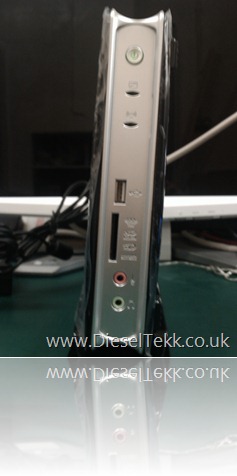
Zotac ZBOX HD-AD01 Un-boxing Gallery

When I received the Zotac ZBOX HD-AD01 I was sure that a mistake had been made, since the package was tiny, however I was not disappointed!

The ZBOX comes very well packaged, and exudes quality. 

Below is a gallery of photographs taken with my HTC Hero Android mobile phone (hence the poor image quality – sorry about that). 

DieselTekk.co.uk Zotac ZBOX HD-ADO01 - Unboxing Image (0)

DieselTekk.co.uk Zotac ZBOX HD-ADO01 - Unboxing Image (1)

DieselTekk.co.uk Zotac ZBOX HD-ADO01 - Unboxing Image (2) DieselTekk.co.uk Zotac ZBOX HD-ADO01 - Unboxing Image (3) DieselTekk.co.uk Zotac ZBOX HD-ADO01 - Unboxing Image (4) DieselTekk.co.uk Zotac ZBOX HD-ADO01 - Unboxing Image (5) DieselTekk.co.uk Zotac ZBOX HD-ADO01 - Unboxing Image (6) DieselTekk.co.uk Zotac ZBOX HD-ADO01 - Unboxing Image (7) DieselTekk.co.uk Zotac ZBOX HD-ADO01 - Unboxing Image (8) DieselTekk.co.uk Zotac ZBOX HD-ADO01 - Unboxing Image (9) DieselTekk.co.uk Zotac ZBOX HD-ADO01 - Unboxing Image (10) DieselTekk.co.uk Zotac ZBOX HD-ADO01 - Unboxing Image (11) DieselTekk.co.uk Zotac ZBOX HD-ADO01 - Unboxing Image (12) DieselTekk.co.uk Zotac ZBOX HD-ADO01 - Unboxing Image (13) DieselTekk.co.uk Zotac ZBOX HD-ADO01 - Unboxing Image (14) DieselTekk.co.uk Zotac ZBOX HD-ADO01 - Unboxing Image (15) DieselTekk.co.uk Zotac ZBOX HD-ADO01 - Unboxing Image (16) DieselTekk.co.uk Zotac ZBOX HD-ADO01 - Unboxing Image (17) DieselTekk.co.uk Zotac ZBOX HD-ADO01 - Unboxing Image (18) DieselTekk.co.uk Zotac ZBOX HD-ADO01 - Unboxing Image (19) DieselTekk.co.uk Zotac ZBOX HD-ADO01 - Unboxing Image (20)

DieselTekk.co.uk Zotac ZBOX HD-ADO01 - Unboxing Image (21)

DieselTekk.co.uk Zotac ZBOX HD-ADO01 - Unboxing Image (22) DieselTekk.co.uk Zotac ZBOX HD-ADO01 - Unboxing Image (23) DieselTekk.co.uk Zotac ZBOX HD-ADO01 - Unboxing Image (24)

DieselTekk.co.uk Zotac ZBOX HD-ADO01 - Unboxing Image (25)

 DieselTekk.co.uk Zotac ZBOX HD-ADO01 - Unboxing Image (26) DieselTekk.co.uk Zotac ZBOX HD-ADO01 - Unboxing Image (27) DieselTekk.co.uk Zotac ZBOX HD-ADO01 - Unboxing Image (28)

Friday, 5 February 2010

GetXboxCodes.com – Cheap Xbox Live! and Microsoft Points

Xbox360Live 12MonthGold Buying Xbox Live! vouchers to enable online play with the Xbox 360 is difficult without a credit card.  I don’t have a credit card, nor do I have any interest or need to own one, and my debit card isn’t accepted as valid payment when purchasing Xbox Live! subscriptions.

getxboxcode.com logoAlso, I don’t want to pay the prices in the shops, so I went searching online and came across GetXboxCodes.com where I can buy Xbox Live! voucher codes quickly and easily.
GetXboxCodes.com sell not just Live! vouchers, but also Microsoft Points (the currency used to make purchases via your Xbox 360 console) at discounted prices.
As an example of the costs (which change from time to time)
  • 12 Month Gold Subscription usual price from Xbox.com is £39.99
  • 12 Month Gold Subscription current price from GetXboxCodes.com is £26.00 – a saving of £13.99!
telephone Once signed up, you choose your product and enter your payment details (credit/debit card, PayPal etc).  Once your payment has been received GetXboxCodes.com will confirm your identity by verifying your address and telephone number – they’ll give yEmail Iconou a call!  Once done, you will quickly receive your first code in your email inbox. 
From what I can tell, after making three purchases, you only need to await a call on your first purchase, after that your code is emailed instantly.  Easy.
Another great feature of GetXboxCodes.com is their Twitter account, because that is where they give away free codes for Microsoft Points.  I’ve not been lucky to receive any myself, but I’ve seen the codes go up quite frequently.
So, if you’re looking for a cheap, quick and easy way to get your Xbox Live! Gold subscription and to get involved in online gaming, get on over to GetXboxCodes.com!
Technorati Tags: ,,,,,,,,,Xbox,360,Gaming
Windows Live Tags: GetXboxCodes,Cheap,Xbox,Live!,Microsoft,Gold,Subscription,PayPal,Twitter,Xbox,360,Gaming

Saturday, 28 February 2009

How To: Disassemble a LaCie Little Disk – Photo Guide

LaCie 301830 320GB LITTLE DISK USB 5400 RPM 8MB FW400While looking for a disassembly guide for the LaCie Little Disk 320GB so that I could use the SATA hard drive within to replace the faulty and failed hard drive in my Acer Aspire One netbook, I read many reports that it was very difficult and gave up trying to find a guide.
Instead I decided to look at it logically, and found it to be very simple.  Here is how to disassemble the LaCie Little Disk 320GB.


1.  Here is the LaCie Little Disk, its just a little bit scratched and there are a few fingerprints, but otherwise it is a very nice looking device.DieselTekk.co.uk - LaCie Little Disk 320GB Hard Drive Removal (0)
2.  Remove the front cover and set it aside, now take a look at the what you see.  You will find a tiny notch just at the seam as indicated in the photo.DieselTekk.co.uk - LaCie Little Disk 320GB Hard Drive Removal (2)
3.  I used a penknife for this, but any similar, flat bladed item will do, such as a credit card. Insert your chosen blade between the two housings just above the notch, be gentle.  Now, twist it slightly until you hear a pop like noise.  This is simply the glue separating from the two housings.DieselTekk.co.uk - LaCie Little Disk 320GB Hard Drive Removal (3)
4.  Slide the blade along to the right until it stops, then give it another twist as before.  Once again you should hear the same pop.  Now, slide the blade back along to the left and do the same.DieselTekk.co.uk - LaCie Little Disk 320GB Hard Drive Removal (4)
5.  Flip the drive over and repeat the process on the other side.  Once you have done this, you are ready to pull the drive free of the housing.  Give it a good, firm tug. DieselTekk.co.uk - LaCie Little Disk 320GB Hard Drive Removal (9)
6.  I forgot to take a photo of the drive with this rubber band attached, but here it is set aside.  If you decide to reuse the caddy, perhaps with a smaller capacity drive, then make sure you take notice of where it is situated, you will need to put it back on.  [UPDATE – As you may read in the comments, not all LaCie Little Disk’s have this rubber band]DieselTekk.co.uk - LaCie Little Disk 320GB Hard Drive Removal (11)
7.  You will need to remove these two screws to remove the SATA/USB converter PCB. DieselTekk.co.uk - LaCie Little Disk 320GB Hard Drive Removal (12)

I replaced the 320GB drive in this caddy with a smaller 80GB drive from an old laptop.  When I put it all back together it worked fine.
And that is all there is to it, it’s really no more than a 10 minute job at most.  Of course, I have to say at this point that if your drive does not work after you have carried out these instructions then you must not hold me responsible, it’s your drive, your warranty and your responsibility!
Have you found this LaCie Little Disk disassembly guide useful?  Would you like to share it with others – just use the icons below?  Please leave your comments below.
Technorati Tags: ,,,,,,,,
Windows Live Tags: Netbook,LaCie,Little,Disk,Photo,Guide,SATA,Acer,Aspire

Tuesday, 2 December 2008

Gifts for Geeks – Christmas 2008 – Part Two

Swiftech H2O-220 Compact

£124.80

Water cooling you PC can be a pretty scary prospect, especially if you have a lot of very expensive hardware in there, you certainly wouldn’t want to worry about the prospect of water leaking on to it!  Which is why the Swiftech H2O-220 Compact would make an ideal choice for any enthusiastic overclocker’s computer.

Diesel-Tekk Swiftech H2O-220 Compact The 220 is a complete water cooling kit in one box, and offers a high-end cooling solution at a fraction of the cost of some other water cooling kits.  The 220, like the smaller Swiftech kits, features the Apogee Drive 350 combined waterblock and pump.  Also in the package is a 120mm radiator.fan, which will transfer a great deal of heat from the CPU to the outside of the case quickly and efficiently.  The kit includes accessories such as 12/7/5V adapters for silencing the fans, and a Radbox for simple mounting of the radiator on the outside of the case.

Available from Amazon.co.uk

Monday, 1 December 2008

Gifts for Geeks – Christmas 2008 – Part One

Welcome to the first instalment of Gifts for Geeks, for Christmas 2008.  This series is focused on items that would make ideal Christmas presents for any computer enthusiast, modder or gamer.

So lets get on with it…

Sennheiser PC 166 USB

£63.00

Diesel-Tekk Senheisser PC 166 USB Sennheiser’s PC 166 USB headset looks a bit boring, but there is no doubt as to it’s high quality.  The microphone boom allows for horizontal adjustments, and swings upwards when not needed, while the velvety earpads sit comfortably over the ear.  The PC 166 USB produces stunningly powerful bass and amazing detail into the high frequencies.  It’s a tad on the expensive side, but any self respecting gamer would love the PC 166 USB after the first use.

Available from Amazon.co.uk

Related Posts Plugin for WordPress, Blogger...